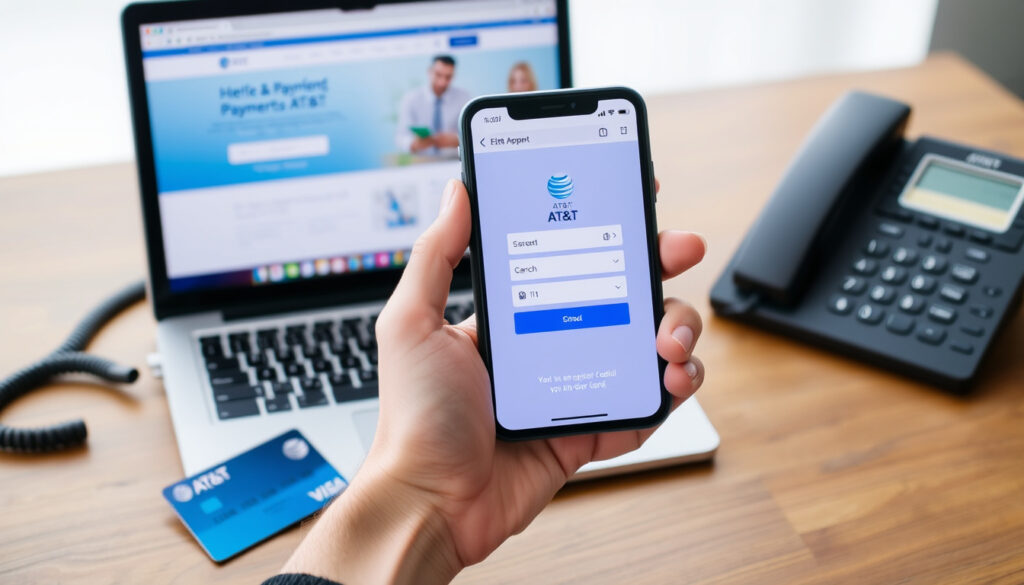
AT&T Pay Bill: How to Pay Online, by Phone, and as a Guest
You have the bill in hand, but the login page is a dead end. Maybe you forgot your password, aren’t the account holder, or just want to pay without the hassle. AT&T actually makes this easy: you can pay your bill as a guest using Fast Pay or Quick Pay, no sign-in required.
Payment methods available: Online, phone, mail, in-store ·
AT&T Quick Pay number: 1-800-288-2747 ·
Pay without signing in (Fast Pay): Available at att.com/fastpay
Quick snapshot
- No sign-in required (AT&T How to Pay Your Bill)
- Go to att.com/fastpay (AT&T How to Pay Your Bill)
- Enter account or wireless number + ZIP (AT&T How to Pay Your Bill)
- Call 1-800-288-2747 (AT&T How to Pay Your Bill)
- No sign-in required (AT&T How to Pay Your Bill)
- Automated system (AT&T How to Pay Your Bill)
- Same as Fast Pay (AT&T How to Pay Your Bill)
- Available at att.com/fastpay (AT&T How to Pay Your Bill)
- No account login needed (AT&T How to Pay Your Bill)
- Call 1-800-288-2747 (AT&T How to Pay Your Bill)
- Speak with representative (AT&T How to Pay Your Bill)
- Can also pay over phone (AT&T How to Pay Your Bill)
Four payment methods, but one common thread: you can use any of them without logging into your AT&T account.
| Feature | Details |
|---|---|
| Fast Pay available | Yes, online at att.com/fastpay (AT&T How to Pay Your Bill) |
| Quick Pay number | 1-800-288-2747 (AT&T How to Pay Your Bill) |
| Guest payment requires account number or wireless number | Yes (AT&T How to Pay Your Bill) |
| AutoPay option available | Yes, requires sign-in (AT&T Support: Make an AT&T Prepaid Payment) |
How to pay AT&T without signing in?
What is AT&T Fast Pay?
- Fast Pay is AT&T’s guest checkout for one-time payments — no username or password needed (AT&T How to Pay Your Bill).
- It is a dedicated web page at att.com/fastpay designed for exactly this purpose.
- You can use Fast Pay for wireless, internet, TV, or phone services, according to a third-party guide (PDF guide on paying an AT&T phone bill).
How to use Fast Pay online
- Go to att.com/fastpay in your browser.
- Select AT&T Wireless if that’s your service, or choose the correct account type.
- Enter your AT&T account number or the wireless phone number linked to the account.
- Enter the billing ZIP code on file.
- Choose your payment method (credit/debit card or bank account) and complete the payment (AT&T How to Pay Your Bill).
The implication: the entire process takes about two minutes, and you never have to recall a password. The trade-off is that you need two pieces of information: an account identifier and the ZIP code.
Is there a fee for Fast Pay?
- AT&T does not charge a fee for using Fast Pay online, according to the official help page (AT&T How to Pay Your Bill).
- Some third-party sources note that fees may apply for phone payments depending on the plan (YouTube video: AT&T Bill Due? Here’s How to Pay Without Signing In).
The pattern: Fast Pay online is free, but if you call in, double-check whether your plan includes a service fee.
Can I pay my AT&T bill as a guest?
What information do I need for guest payment?
- You need either your AT&T account number or the wireless phone number on the account.
- You also need the billing ZIP code for the account (AT&T How to Pay Your Bill).
- If paying by credit card, have the card number, expiration date, and CVV ready (YouTube video: AT&T Bill Due? Here’s How to Pay Without Signing In).
- If using a bank account, you’ll need the routing and account numbers (YouTube video: AT&T Bill Due? Here’s How to Pay Without Signing In).
Can I pay without an account number?
- Yes — if you have a wireless line, you can use your phone number instead of the account number (AT&T How to Pay Your Bill).
- For internet-only accounts, you typically need the full account number (AT&T Support: Make an AT&T Prepaid Payment).
The catch: if you have a wireless account, your phone number is the key. If you only have internet, you’ll need to find that account number first.
What is the 1-800-number for AT&T billing?
What other numbers are available?
- The primary AT&T billing number is 1-800-288-2747, which works for both Quick Pay and speaking with a representative (AT&T How to Pay Your Bill).
- For wireless customers, you can also dial 611 from your AT&T phone to reach customer service.
- AT&T Prepaid customers have a separate payment flow; the same number may route to the prepaid line (AT&T Support: Make an AT&T Prepaid Payment).
Is the number toll-free?
- Yes, 1-800-288-2747 is toll-free within the United States (AT&T How to Pay Your Bill).
- Dialing 611 from your AT&T mobile line is also free.
Why this matters: you can call without worrying about charges, and the automated system is available 24/7.
What is the AT&T Quick pay option?
How does Quick Pay differ from Fast Pay?
- Quick Pay is the phone-based payment option: you call 1-800-288-2747 and follow the automated prompts.
- Fast Pay is the online web page at att.com/fastpay (AT&T How to Pay Your Bill).
- Both are no-sign-in methods, but one uses your phone keypad and the other uses a web form.
How to use Quick Pay by phone
- Call 1-800-288-2747.
- Listen to the menu and select the option to make a payment.
- Enter your account number or wireless number when prompted.
- Enter the billing ZIP code.
- Provide payment details (card or bank account) and confirm the amount (AT&T How to Pay Your Bill).
The pattern: both Fast Pay and Quick Pay are guest payment systems. The difference is the channel — online vs. phone — but the information required is identical.
How to pay AT&T bill without access to the account?
What to do if I lost my account number?
- If you have a wireless line, you can use your phone number instead of the account number (AT&T How to Pay Your Bill).
- If you don’t remember the phone number or account number, you can call 1-800-288-2747 and ask the representative to help locate your account using your name and address.
- You can also view your account number on a previous paper bill or by checking the email confirmation from past payments.
Can I pay with just my phone number?
- Yes — for wireless accounts, the phone number is a valid identifier for Fast Pay and Quick Pay (AT&T How to Pay Your Bill).
- For internet or TV-only accounts, the phone number may not be linked; you’ll need the account number.
The trade-off: wireless users have a built-in backup identifier. If you don’t have a wireless line with AT&T, keep your account number handy.
Step-by-Step: Pay Your AT&T Bill Without Signing In
- Open a private or incognito browser window (recommended for security on shared devices).
- Go to att.com/fastpay.
- Select the service type (Wireless, Internet, TV, etc.).
- Enter your account number or wireless phone number and billing ZIP code.
- Choose payment method: credit/debit card or bank account.
- Enter payment details and confirm the amount.
- Submit the payment. You’ll receive a confirmation number (AT&T How to Pay Your Bill).
If you prefer to pay by phone, skip steps 1-2 and call 1-800-288-2747 instead. The process is the same, just over the phone (AT&T How to Pay Your Bill).
AT&T has made it surprisingly easy to pay without an account. The only real barrier is having the account number or phone number and the billing ZIP code. If you have those, you can pay in under two minutes.
Confirmed facts vs. What’s unclear
Confirmed facts
- AT&T Fast Pay does not require sign-in (AT&T How to Pay Your Bill)
- AT&T billing number is 1-800-288-2747 (AT&T How to Pay Your Bill)
- You can pay as a guest without logging in (AT&T How to Pay Your Bill)
What’s unclear
- Processing time for payments may vary by method (YouTube video: AT&T Bill Due?)
- Fees for phone payments may apply depending on plan (PDF guide on paying an AT&T phone bill)
What others say
Fast Pay allows you to make a one-time payment without signing in.
AT&T How to Pay Your Bill (official support page)
Fast Pay is AT&T’s guest checkout option for one-time payments. It’s the easiest way to pay if you don’t have access to your account.
YouTube guide: AT&T Bill Due? Here’s How to Pay Without Signing In
The consensus from both official and third-party sources is clear: you can pay without an account, and the fastest route is att.com/fastpay.
Summary
For anyone who has ever been locked out of an AT&T account or simply doesn’t want to log in, the path is straightforward: use Fast Pay online or Quick Pay by phone. Both require only an account number (or wireless number) and a billing ZIP code. For wireless customers, the phone number is your lifeline. For others, keep that account number somewhere safe. The payment itself is free online, and the whole process takes less than five minutes. AT&T has built a functional guest payment system — you just need to know where to go and what to have ready.
Related reading: What Is Data Roaming? When to Turn It On or Off Abroad · When Will Verizon Be Back Up? Timeline & Reconnection Guide
reddit.com, youtube.com, igualdadynodiscriminacion.igualdad.gob.es, youtube.com, instagram.com, att.com, youtube.com
Frequently asked questions
How do I set up AutoPay for my AT&T bill?
You can set up AutoPay by signing into your AT&T account online or in the myAT&T app. Navigate to Billing & Payments, select AutoPay, and choose your payment method. AutoPay requires an active account login (AT&T Support: Make an AT&T Prepaid Payment).
What payment methods does AT&T accept?
AT&T accepts credit cards (Visa, Mastercard, Discover, American Express), debit cards, and bank account transfers (ACH). You can also pay with cash at participating retailers or by mailing a check (AT&T How to Pay Your Bill).
Can I pay my AT&T bill in a store?
Yes, you can pay at AT&T company-owned stores, authorized retailers, and many third-party locations like CVS, Walmart, and 7-Eleven. Cash payments are accepted at most locations (AT&T How to Pay Your Bill).
How long does it take for my payment to show?
Online payments typically post within a few hours. Phone payments may take up to 24 hours. Bank transfers (ACH) can take 2-3 business days. Check with AT&T for the exact timing for your method (YouTube video: AT&T Bill Due?).
Is there a late fee for AT&T bills?
Yes, AT&T charges a late fee if payment is not received by the due date. The fee amount varies by state and plan. You can avoid it by enrolling in AutoPay or paying at least the minimum by the due date (AT&T Support: Make an AT&T Prepaid Payment).
How do I find my AT&T account number?
Your account number is printed on your paper bill, in the email confirmation of past payments, and in the myAT&T app under Account. If you don’t have access, call 1-800-288-2747 and a representative can help you retrieve it (AT&T How to Pay Your Bill).
Can I pay by mail?
Yes, you can mail a check or money order to the address listed on your bill. Include the payment stub with your account number. Allow at least 5-7 business days for delivery and processing (AT&T How to Pay Your Bill).
More related posts
 Wheel Bearing Replacement Cost: Signs, Safety & Prices
 How Many Cups in a Gallon? US & UK Guide
 Parts of a Cell: Structure, Organelles, and Functions
 What Is Usually the First Sign of HIV? Early Symptoms Guide
 How Much Is a Car? Average Prices & Translation Guide
 Watch The Perks of Being a Wallflower – Where to Stream Free
 iPhone 17 Launch Date: Key Details, Price, and Release Timeline
 Where to Watch Bleach – Full Series Streaming Guide